
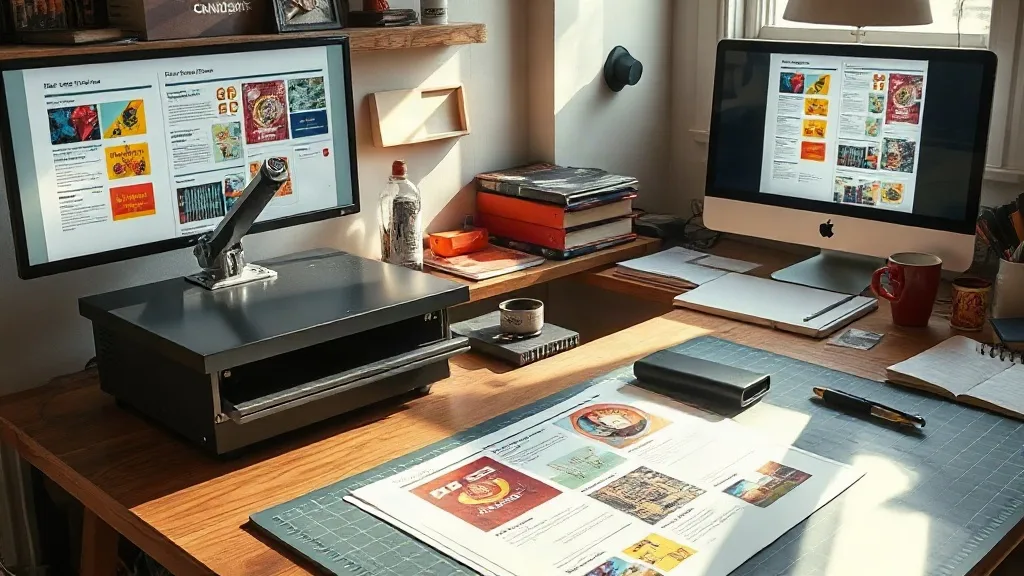
When you run a small print shop, every square inch of film and every milliliter of ink counts. You've probably heard about DTF Gangsheet printing and assumed it's only for high-volume operations with industrial equipment. But that couldn't be further from the truth. In fact, gangsheets can be a game-changer for small businesses looking to compete with the big guys without breaking the bank.
Let's break down what a gangsheet actually is and why it might be the secret weapon your small shop has been missing. A gangsheet is simply a large sheet of DTF film that contains multiple designs arranged together. Instead of printing one transfer at a time, you fill the sheet with as many graphics as possible, maximizing your film and ink usage. For small shops, this means you can produce a variety of designs in one go, keeping costs low and efficiency high.
The beauty of gangsheets is that they're scalable. You don't need a massive order to benefit. Even if you're printing just a few shirts a week, you can group designs that share similar colors or are all part of a small batch. This approach slashes your per-unit cost and opens up possibilities you might have thought were out of reach.
Why Small Shops Should Pay Attention to Gangsheets
Small businesses often operate on tight margins, so wasting materials is not an option. Traditional DTF printing without gangsheets can lead to a lot of unused film, especially if you're printing small designs. By using a gangsheet, you fill every inch of the film, reducing waste and getting more transfers per roll. That directly impacts your bottom line.
Moreover, gangsheets allow you to offer a wider variety of designs without holding excessive inventory. Imagine a customer wants a custom shirt with a small logo on the front and a larger graphic on the back. With a gangsheet, you can print both designs on the same sheet, along with other pending orders, and have them ready in one print cycle. This flexibility is invaluable for small shops that need to stay agile.
Another advantage is consistency. When you print multiple designs on the same sheet, they go through the same curing and pressing conditions, ensuring uniform quality across the board. That level of consistency is hard to achieve when printing individually, especially if you're juggling different orders.
Cost Savings Without Compromise
One of the biggest misconceptions is that gangsheets require a large upfront investment. In reality, you can start small. Many DTF suppliers offer gangsheet services where you can upload your designs and they'll print and ship the sheet to you. This means you don't need to invest in a DTF printer or worry about maintenance. For a small shop, outsourcing gangsheet printing can be a cost-effective way to test the waters before committing to in-house production.
Even if you do have your own printer, creating gangsheets is straightforward with the right software. You can nest designs manually or use tools that auto-arrange them to minimize gaps. The key is to plan your prints so that you're not leaving empty spaces. Over time, you'll develop a knack for grouping designs that complement each other in terms of color and size.
Let's talk numbers. Suppose you pay $5 for a sheet of DTF film. If you print one small design that takes up 10% of the sheet, your film cost per design is $0.50. But if you fill the sheet with 10 designs, your film cost drops to $0.05 per design. That's a 90% reduction in film cost alone. Add ink savings on top, and the difference is substantial. For a small shop, those savings can be reinvested into marketing or better materials.
How to Get Started with Gangsheets
Ready to give gangsheets a try? Here's a step-by-step approach tailored for small businesses.
- Assess your order volume: Start by collecting designs from pending orders. Even if you have just a handful, you can combine them. If you frequently get repeat orders for certain designs, consider printing them in bulk on a gangsheet to have ready stock.
- Choose a gangsheet size: Gangsheets come in various sizes, from 12 inches wide to 24 inches or more. Pick a size that matches your typical order volume. You can always trim larger sheets if needed.
- Use design software: Tools like Photoshop, Illustrator, or dedicated DTF software allow you to arrange designs on a template. Make sure to leave a small gap between designs for easy cutting.
- Consider outsourcing: If you don't have a DTF printer, look for a gangsheet printing service. Many offer competitive rates and fast turnaround, which is perfect for small shops testing the concept.
- Start with a test batch: Print a small gangsheet with a mix of designs to see how it works for your workflow. Evaluate the cost savings and quality, then scale up as you gain confidence.
Remember, the goal is to maximize the use of your film and ink. Don't be afraid to experiment with different layouts to find the most efficient arrangement.
Common Pitfalls to Avoid
While gangsheets are a powerful tool, there are a few mistakes that can eat into your savings. One is overcrowding the sheet without proper spacing, which can lead to cutting errors or misaligned transfers. Always leave a small margin between designs.
Another pitfall is ignoring color profiles. When printing multiple designs, ensure they all use the same color settings to avoid inconsistencies. If you're outsourcing, communicate clearly with your printer about color expectations.
Finally, don't overlook the importance of a quality heat press. A good press ensures even adhesion and longevity, which is crucial for customer satisfaction. Skimping on a press can undo all the cost savings from gangsheets.
Real-World Example: A Small Shop's Success
Take the case of a home-based t-shirt business that prints custom designs for local events. Before gangsheets, they were printing each order individually, wasting film and ink. After switching to gangsheets, they were able to combine orders for a weekend market into one sheet, reducing their film cost by 70% and cutting production time in half. They now offer more designs and have increased their profit margin without raising prices.
This isn't an isolated story. Many small shops have discovered that gangsheets level the playing field, allowing them to compete on price and variety. The key is to start small and scale as you learn.
Frequently Asked Questions
Can I use a gangsheet for just one or two designs?
Absolutely. Even if you have only a couple of designs, you can place them on a gangsheet. While the savings are more noticeable with more designs, you'll still reduce waste compared to printing each design on a separate sheet. For very low volumes, consider combining with other orders or printing a batch of popular designs to keep on hand.
What software do I need to create a gangsheet?
You don't need specialized software. Any design program that allows you to create a large canvas and import images will work. Adobe Illustrator, Photoshop, or even free tools like Canva can be used. The important thing is to set the canvas to the exact dimensions of your film and arrange designs efficiently.
How do I ensure my gangsheet prints come out with consistent quality?
Consistency starts with using the same printer settings and ink for the entire sheet. If you're outsourcing, choose a reputable printer who maintains their equipment. Also, make sure all designs are in the same color mode (usually CMYK for DTF) and have similar ink coverage to avoid under- or over-curing.
Is it worth investing in a DTF printer for gangsheets?
It depends on your volume. If you consistently have enough designs to fill gangsheets regularly, investing in a printer can pay off in the long run. However, for occasional use or if you're just starting, outsourcing is more cost-effective. Many small shops begin by outsourcing and later bring printing in-house as demand grows.