
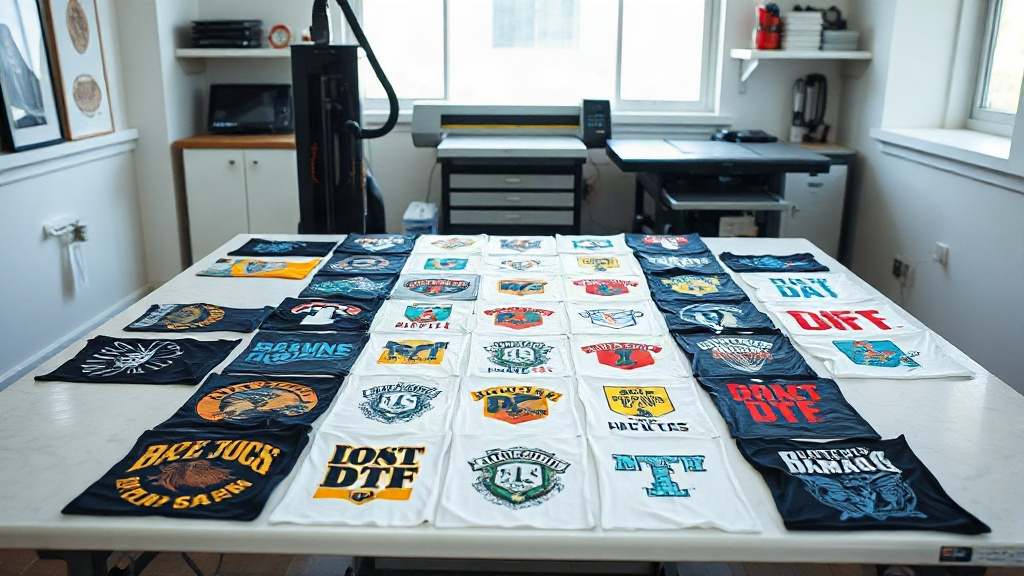
If you're into DTF printing, you've probably heard the term "gangsheet" thrown around. Maybe you've seen it in forums, or a fellow printer mentioned it. But what exactly is a DTF gangsheet, and why should you care? In simple terms, a gangsheet is a large sheet where you arrange multiple designs to be printed together in one go. It's a game-changer for efficiency and cost savings. In this guide, I'll walk you through everything you need to know about DTF gangsheets, from creating them to maximizing your profits. Whether you're a beginner or a seasoned pro, there's something here for you.
What Is a DTF Gangsheet?
A DTF gangsheet is essentially a compilation of multiple DTF transfers printed on a single sheet of film. Instead of printing each design individually, you group them together, hence the name "gangsheet." This approach is widely used in the DTF community because it saves time, reduces waste, and lowers production costs. Imagine you have 20 different t-shirt designs to print. Printing them one by one would be time-consuming and inefficient. With a gangsheet, you arrange all 20 designs on one large film, print them in a single pass, and then cut them out. It's that simple.
Why Use a Gangsheet?
The primary reason is efficiency. DTF printers, especially those with roll-to-roll capabilities, can handle large sheets. By maximizing the use of the film, you minimize waste and reduce the cost per transfer. Additionally, gangsheets are perfect for print-on-demand businesses or those with frequent small orders. You can batch similar jobs together, which streamlines your workflow. Another benefit is consistency. When you print multiple designs on the same sheet, they undergo the same conditions (temperature, pressure, etc.), ensuring uniform quality across all transfers.
How to Create a DTF Gangsheet
Creating a gangsheet requires some planning and the right tools. Here's a step-by-step guide to help you get started.
1. Choose the Right Software
You'll need a graphic design program that allows you to arrange multiple images on a canvas. Popular options include Adobe Photoshop, Illustrator, or dedicated RIP software like Cadlink or PrintFactory. Some DTF printers come with their own software that includes gangsheet templates. If you're on a budget, free alternatives like GIMP or Inkscape can work, but they may lack some advanced features.
2. Set Up Your Canvas
The size of your canvas should match the width of your DTF film roll. Common widths are 13 inches, 17 inches, and 24 inches. The length can be as long as your printer allows. For example, if you have a 24-inch wide roll, set your canvas to 24 inches wide and however long you need. Remember to leave a small margin (about 0.25 inches) on all sides to prevent clipping.
3. Arrange Your Designs
Now comes the fun part: placing your designs on the canvas. Here are some tips:
- Nest designs: Rotate and position designs to fill gaps. Irregular shapes can fit together like puzzle pieces.
- Group by color: If you're printing white ink, grouping designs with similar white areas can reduce ink usage.
- Leave space for cutting: Add at least 0.1 inches between designs for easy cutting.
- Consider the grain: DTF film has a grain direction; align designs accordingly for best results.
4. Add Registration Marks
If you're using a cutting machine (like a Cricut or Silhouette), add registration marks to help the machine align cuts. These are small marks at the corners of the sheet. Your software or cutter's instructions will specify the exact placement.
5. Print and Cure
Once your gangsheet is ready, print it using your DTF printer. Follow your printer's settings for ink density and white ink layering. After printing, apply hot melt adhesive powder evenly, shake off excess, and cure the sheet in a heat press or oven. The curing temperature and time depend on your powder and film, so always check the manufacturer's recommendations.
Benefits of Using DTF Gangsheets
Now that you know how to create them, let's dive into why they're so beneficial.
Cost Savings
By maximizing the use of film and ink, you significantly reduce waste. Film is one of the most expensive consumables in DTF printing, so using every inch counts. Gangsheets also save on labor because you handle multiple designs in one print run.
Time Efficiency
Printing one large sheet is much faster than printing several small ones. You set up once, print once, and cure once. This is especially beneficial for businesses that handle many small orders daily.
Consistency and Quality
When all designs go through the same printing and curing process, you get consistent results. No more variations in color or adhesion from one transfer to another.
Scalability
Gangsheets allow you to scale your production easily. As your order volume grows, you can simply create larger gangsheets or more of them, without changing your workflow.
Common Mistakes to Avoid with DTF Gangsheets
Even experienced printers make mistakes. Here are some pitfalls to watch out for.
Overcrowding the Sheet
While it's tempting to cram as many designs as possible, overcrowding can lead to cutting errors and ink smudging. Leave adequate space between designs.
Ignoring Film Grain
DTF film has a grain, and placing designs against the grain can cause curling or poor adhesion. Always align designs with the grain direction.
Inconsistent Powder Application
Uneven powder can result in transfers that peel or crack. Use a powder shaker for even distribution and always shake off excess.
Wrong Curing Parameters
Under-curing leads to wash-off, while over-curing makes the transfer brittle. Invest in a temperature gun or follow your powder's datasheet precisely.
Optimizing Your DTF Gangsheet Workflow
To get the most out of gangsheets, consider these optimization tips.
Use Templates
Create templates for common gangsheet sizes. This saves time when setting up new sheets.
Batch Similar Orders
Group orders with similar sizes or ink requirements. This reduces changeover time and material waste.
Invest in a Larger Printer
If you're frequently maxing out your current printer's width, consider upgrading to a wider model. The increased capacity can pay for itself quickly.
Automate with RIP Software
RIP software can automatically nest designs and optimize ink usage. It's an investment, but worth it for high-volume shops.
Frequently Asked Questions
What is the maximum size for a DTF gangsheet?
The maximum size depends on your printer and film roll. Common widths are 13", 17", and 24". The length can be virtually unlimited if your printer supports roll-to-roll printing. Always check your printer's specifications.
Can I reuse a DTF gangsheet?
No, DTF transfers are single-use. Once you peel the transfer off the film, the film cannot be reused. However, you can print multiple copies of the same gangsheet if you need duplicates.
How do I cut a DTF gangsheet?
You can cut it manually with scissors or a craft knife, but for precision, use a cutting machine like Cricut or Silhouette. If you have registration marks, the machine will cut along the design outlines automatically.
What ink is used for DTF gangsheets?
DTF printing uses specialized DTF inks, which include CMYK and white. The white ink is crucial for opacity on dark garments. Always use inks designed for DTF to ensure compatibility with film and powder.
How long does a DTF gangsheet last?
If stored properly in a cool, dry place away from direct sunlight, DTF transfers can last for several months. Once applied to a garment, they can withstand dozens of washes if cured correctly.
Mastering the DTF gangsheet is a skill that can transform your printing business. It's not just about saving money; it's about working smarter. By implementing the tips in this guide, you'll be well on your way to more efficient and profitable DTF printing. Remember, practice makes perfect, so don't be afraid to experiment and find what works best for your shop.