
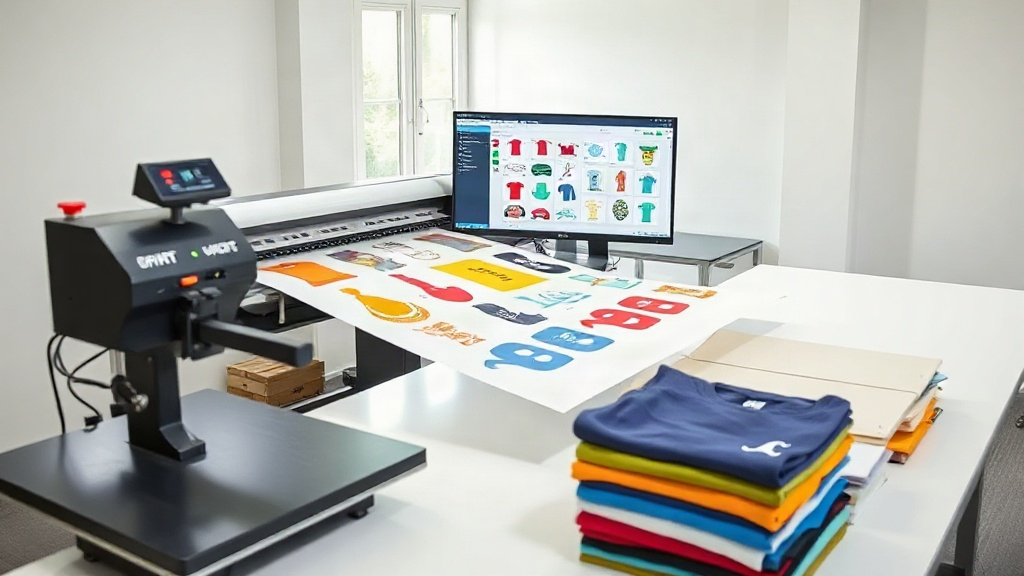
If you run a custom apparel business, you know that time is money. Every minute spent arranging transfers, cutting sheets, and aligning prints adds up. That's where a dtf gangsheet builder comes in. It's a tool that lets you combine multiple designs onto a single sheet before printing, so you can press more shirts in less time. In this guide, we'll explore why a gangsheet builder is a game-changer and how to use one effectively.
What Is a DTF Gangsheet Builder?
A dtf gangsheet builder is software that helps you arrange multiple DTF (Direct to Film) transfer designs onto one large sheet. Instead of printing each design separately, you nest them together to maximize the use of your transfer film. The result is a single sheet that you can print, cure, and then cut apart for pressing. It's like a digital puzzle where every piece is a design waiting to be applied to a garment.
Why "Gangsheet"?
The term "gangsheet" comes from the printing industry, where "ganging" refers to grouping multiple jobs together on one plate or sheet. In DTF printing, it means arranging many designs on a roll of film. This approach is especially popular among small to medium-sized apparel businesses because it reduces waste and speeds up production.
Benefits of Using a DTF Gangsheet Builder
Switching to a gangsheet workflow can transform your business. Here are the main advantages:
- Time savings: Instead of loading and unloading the printer for each design, you print everything at once. You also cut down on repetitive setup tasks.
- Cost efficiency: DTF film and powder are not cheap. By nesting designs tightly, you use less material per transfer, lowering your cost per shirt.
- Consistency: When you print a batch of designs together, they share the same ink and powder settings, leading to uniform quality.
- Scalability: As your order volume grows, a gangsheet builder helps you keep up without hiring more staff or buying additional printers.
Let's dive deeper into each benefit.
Time Savings in Practice
Imagine you have an order for 50 shirts with five different designs, ten shirts each. Without a gangsheet builder, you might print each design separately, which means five print runs, five curing cycles, and five cutting sessions. With a gangsheet, you arrange all five designs on one sheet, print once, cure once, and then cut them apart. The time saved can be hours per order, allowing you to take on more jobs or focus on marketing.
Cost Efficiency: The Math Behind It
DTF film typically comes in rolls, and you pay by the meter. If you print individual designs, you might leave large gaps between them, wasting film. A gangsheet builder optimizes the layout to fit designs like a Tetris master, minimizing empty space. Over hundreds of shirts, the savings add up. Additionally, using less powder per sheet reduces consumable costs. For a small shop, these savings can be the difference between profit and loss.
Consistency and Quality Control
When you print designs one by one, environmental factors like humidity and temperature can vary between runs, affecting ink adhesion and color vibrancy. Printing a gangsheet means all designs go through the same conditions, ensuring consistent results. You'll also notice fewer defects because you handle the film less.
Scalability for Growing Businesses
As your business grows, you might face bottlenecks in production. A gangsheet builder allows you to increase output without investing in more equipment. You can also take on larger orders with tight deadlines because you can produce more transfers per hour.
How to Choose the Right DTF Gangsheet Builder
Not all gangsheet builders are created equal. When evaluating options, consider these factors:
- Ease of use: Look for a drag-and-drop interface that doesn't require a degree in graphic design.
- Nesting algorithms: The best tools automatically arrange designs to minimize waste, saving you time and film.
- Compatibility: Ensure the builder supports your printer's file formats (usually PNG or TIFF) and your preferred design software.
- Price: Some builders are free, while others charge a monthly fee. Calculate the return on investment based on your production volume.
- Customer support: If you run into issues, you want help fast. Check reviews and test the support responsiveness.
Many DTF printer manufacturers offer proprietary builders, but third-party options can be more flexible. For example, dtfbasic.com provides a user-friendly builder that integrates with popular design tools. (Note: We're not affiliated, but it's a solid choice.)
Step-by-Step: Creating a Gangsheet with a Builder
Here's a typical workflow for using a gangsheet builder, from design to print:
- Prepare your designs: Export each design as a high-resolution PNG with a transparent background. Ensure they are sized correctly for their intended garment.
- Open the builder: Launch your chosen gangsheet builder software. Some are web-based, others are desktop apps.
- Set your sheet size: Enter the width of your DTF film roll (e.g., 13 inches, 24 inches) and the desired length (or let the software determine the length based on designs).
- Import designs: Drag and drop your PNG files onto the canvas. The builder may automatically arrange them, or you can manually position them.
- Optimize the layout: Use the auto-nesting feature to reduce gaps. Rotate designs if needed. Aim for a tight but printable arrangement, leaving a small margin between designs for cutting.
- Add registration marks (optional): Some builders add cut lines or registration marks to help with cutting later.
- Export and print: Save the gangsheet as a single file and send it to your DTF printer. Print, powder, and cure as usual.
- Cut and press: Use a cutter (manual or automatic) to separate the designs. Then press onto garments.
Pro tip: Always print a test sheet with new designs to check colors and alignment before running a full gangsheet.
Common Mistakes to Avoid with DTF Gangsheets
Even with a builder, some pitfalls can cost you time and money. Watch out for these:
- Overcrowding: Leaving too little space between designs can cause ink bleeding or difficulty cutting. Maintain at least 0.25 inches between designs.
- Inconsistent sizing: Double-check that each design is scaled correctly. A small error can ruin an entire sheet.
- Ignoring film direction: DTF film has a printable side. Make sure you're printing on the correct side, or the ink won't adhere.
- Forgetting to mirror: DTF transfers must be mirrored before printing. Most builders have a mirror option; use it.
- Not accounting for shrinkage: When pressing, designs may shrink slightly. Test a sample first.
Frequently Asked Questions
What is the best free DTF gangsheet builder?
Several free options exist, but they often lack advanced nesting features. For occasional use, free builders can work, but if you're producing regularly, investing in a paid tool with auto-nesting will save you more in material costs. Popular choices include [Tool A] and [Tool B], though availability changes. Always test a free trial before committing.
How do I calculate the cost savings of using a gangsheet builder?
Track the amount of film and powder you use per transfer before and after adopting a builder. For example, if you previously used 10 inches of film per design and now use 6 inches, you save 40% on film. Multiply that by your monthly volume to see the impact. Also factor in labor time saved.
Can I use a gangsheet builder with any DTF printer?
Yes, gangsheet builders are generally printer-agnostic. They produce a standard image file that you can print on any DTF printer. However, ensure the builder supports your printer's maximum print width to avoid scaling issues.
What file format should I use for designs in a gangsheet builder?
PNG is the most common format because it supports transparency. TIFF is also acceptable. Avoid JPEGs, as they don't support transparency and may introduce compression artifacts that affect print quality.
How often should I update my gangsheet builder software?
Check for updates monthly. Developers often release improvements to nesting algorithms, bug fixes, and compatibility with new operating systems. Staying updated ensures you're getting the best performance and security.
Final Thoughts
Adopting a dtf gangsheet builder is one of the smartest moves you can make for your custom apparel business. It saves time, reduces waste, and helps you deliver consistent quality. Whether you're a one-person shop or a growing enterprise, the right builder can streamline your production and boost your bottom line. Start by trying a free tool or a trial of a paid one, and see the difference for yourself. Your future self will thank you.